The science of remembering

Rereading feels like learning.
Testing is learning.

Most study tools hand you a summary to reread. MeetIT does what the research actually says works — and ties it to the lecture you recorded.

01

Retrieval practice

Pulling it from memory beats reading it again.

Decades of research on the testing effect (Roediger & Karpicke, and many since) show that retrieving an answer from memory builds far stronger, longer-lasting recall than re-reading ever does. That’s why MeetIT’s Study space leads with “Test yourself” — quizzes and flashcards — instead of a tidy summary to skim. The small effort of recalling is the part that makes it stick.

02

Spaced repetition, done properly

A real scheduler — not a reminder.

MeetIT ships FSRS-4.5, the same modern spaced-repetition algorithm family behind today’s Anki. Each time you grade a card Again, Hard, Good or Easy, it predicts when you’re about to forget and schedules the next review for exactly then — riding the forgetting curve instead of fighting it. One “Study now” button covers the whole course folder, so your daily review is a single queue, not a chore per deck.

03

One memory model

Miss a quiz question, see the card sooner.

Quizzes and flashcards aren’t separate worlds. Get a quiz item wrong and the matching flashcard is pulled back toward the front of your schedule automatically. Everything you do to test yourself feeds one model of what you know — and what’s starting to slip.

04

Provenance

Hear your professor explain it again.

Every concept, flashcard and quiz question links straight back to the exact moment in the lecture recording it came from. Got something wrong? Jump to the ten seconds where your lecturer actually explained it — in their words, with their example. No other flashcard app can replay your professor, because no other app built the cards from your lecture. (MeetIT keeps your raw recordings by default; deletes go to the system trash.)

05

Private by default

Your lectures never leave the laptop.

Transcription and AI run on-device by default. Your recordings, notes and cards live in files you own — and no AI company ever trains on your classes, not even when you opt into Cloud AI. Privacy isn’t a setting here; it’s the architecture.

06

Honest progress

Mastery, not minutes.

No streaks for streaks’ sake, no time-spent vanity stats. MeetIT’s progress is about what you actually know: what’s due, what’s fading, and your quiz mastery per concept across the whole course. The dashboard answers one question — “where am I in this course, really?”

Guides

AI meeting notes: how they work How to transcribe a meeting How to record a Teams, Zoom or Google Meet meeting How to take meeting minutes Otter.ai alternative Fireflies.ai alternative Granola alternative Active recall: the most effective way to study Spaced repetition: how it works and how to use it How to study from recorded lectures

How it works

From first launch to remembering it.

A quick look at the whole flow — set up in under a minute, then record, review and study from what was actually said.

  1. 01

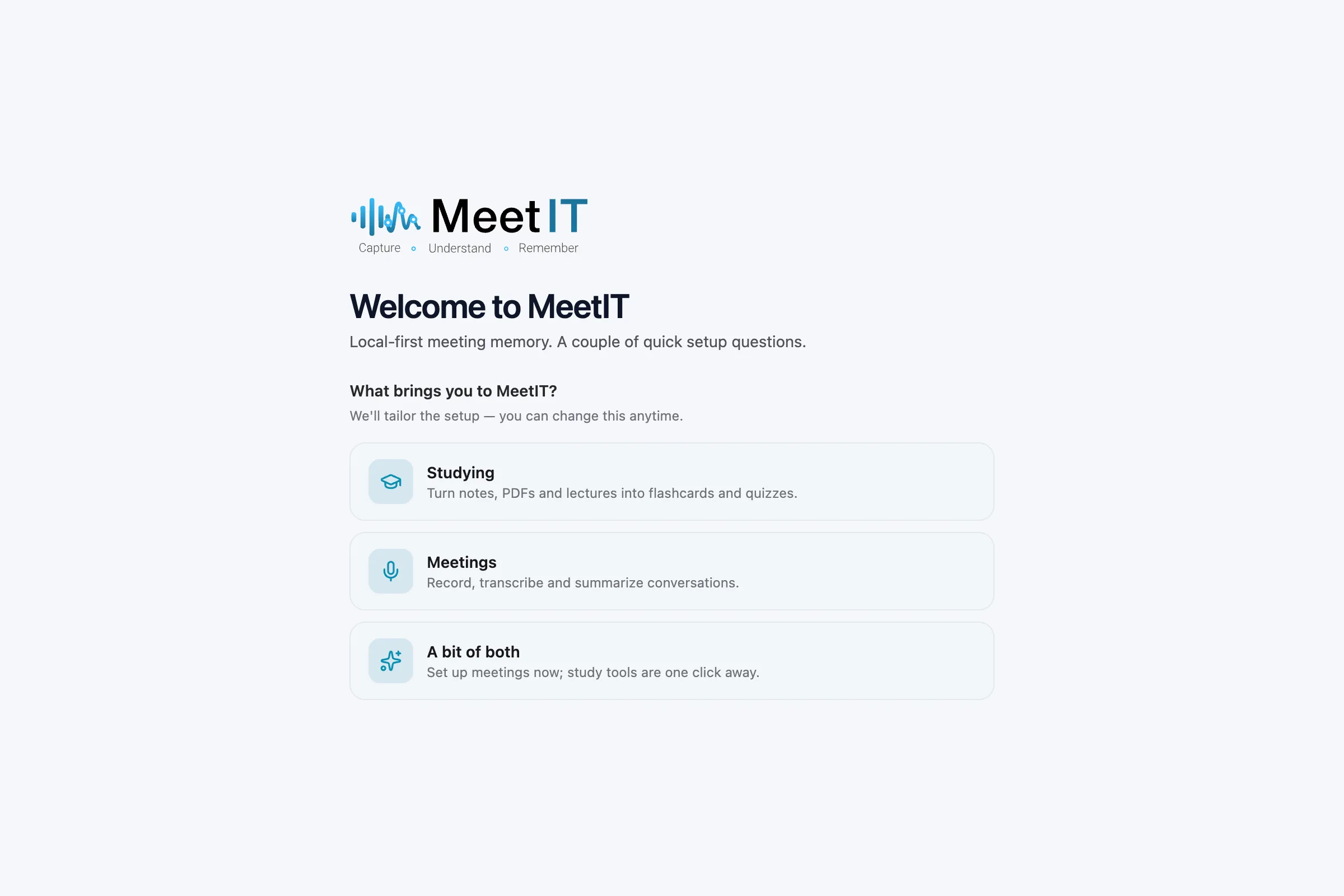
    Pick what you’re here for

    A two-question setup tailors MeetIT to studying, meetings, or a bit of both. No account required to get going.
    Pick what you’re here for
  2. 02

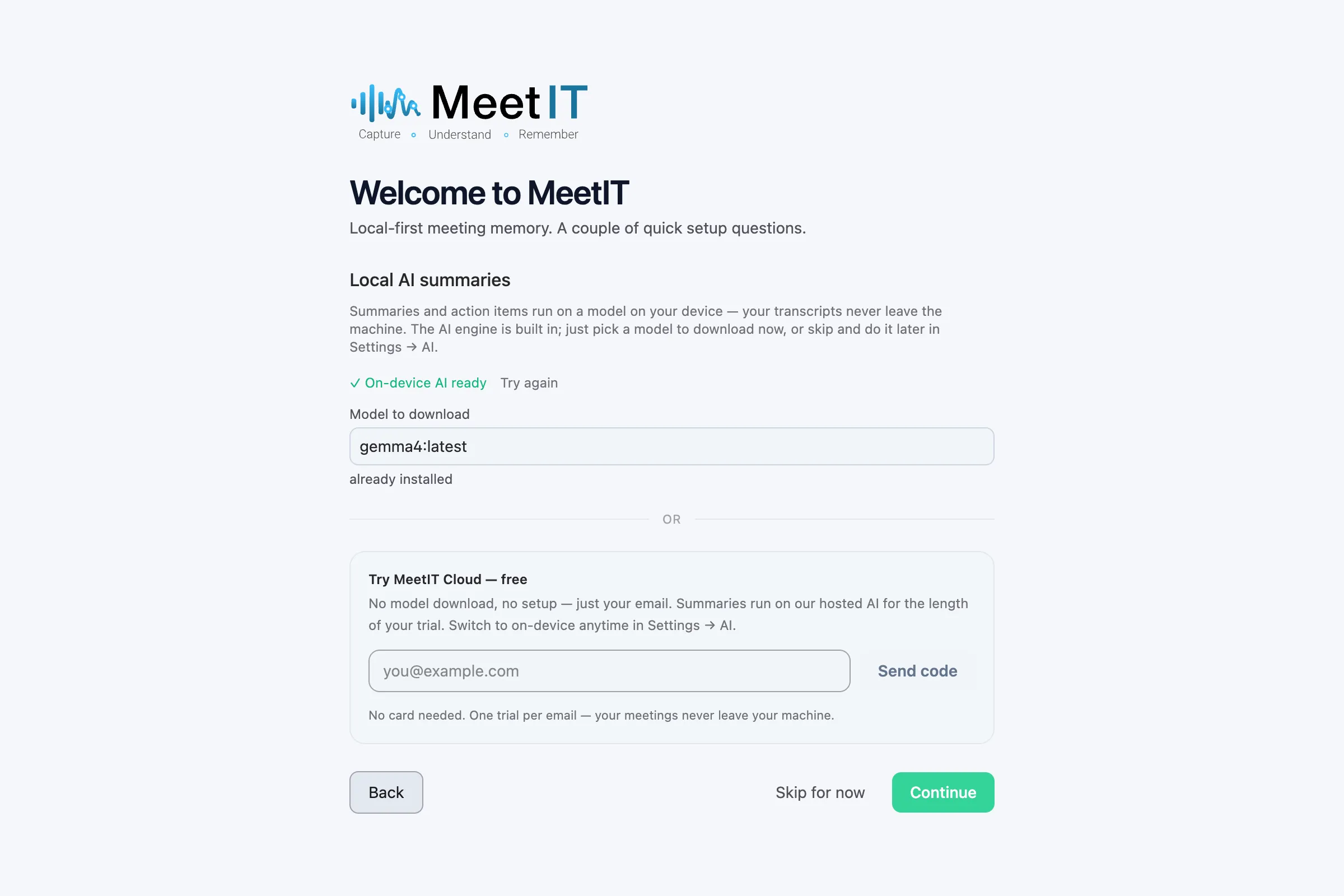
    Choose your AI — local or cloud

    Summaries and flashcards run on a model on your own device by default. Prefer zero setup? Start a free MeetIT Cloud trial with just your email — no download, no card.
    Choose your AI — local or cloud
  3. 03

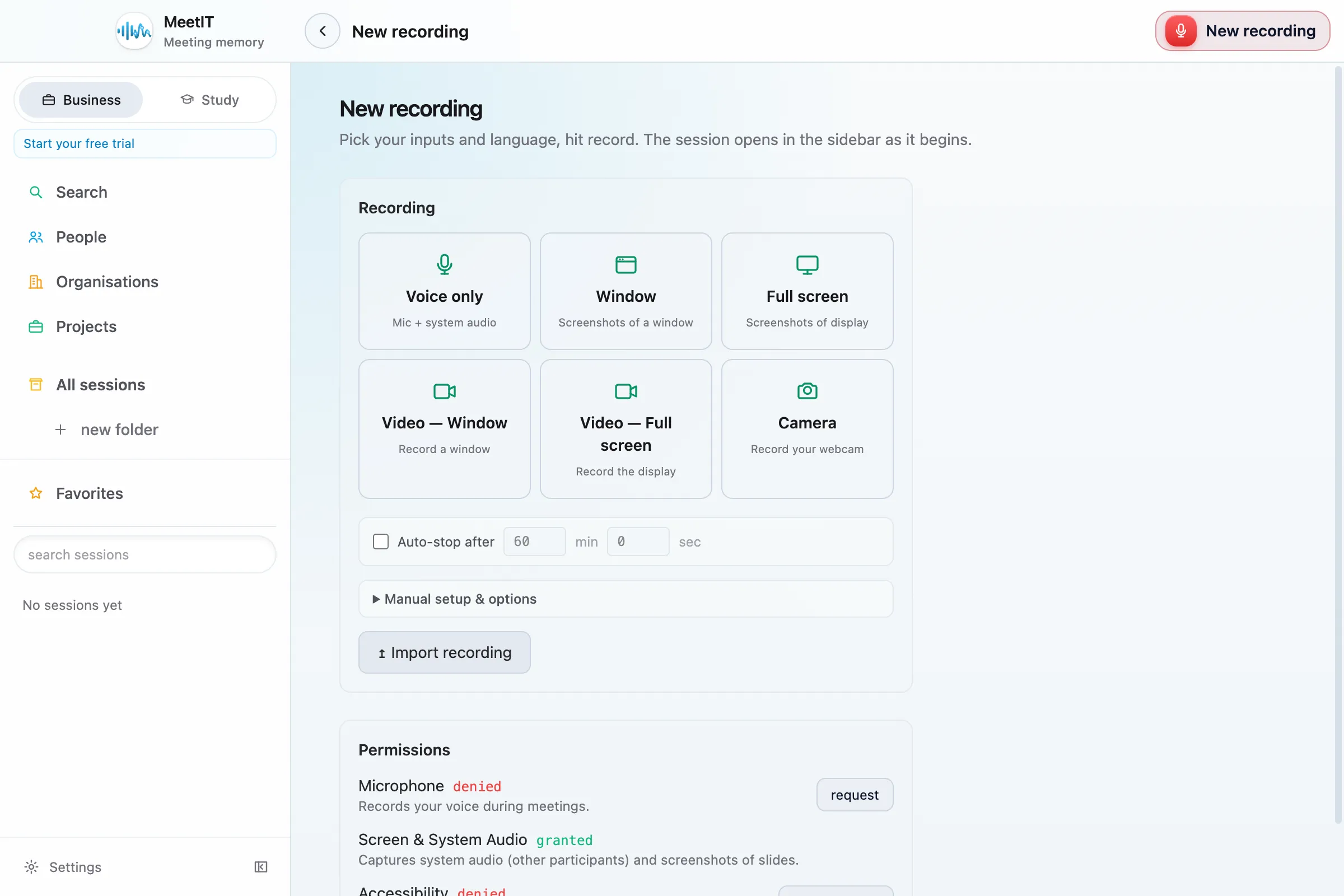
    Hit record

    Capture mic and system audio, a window, the full screen or your camera. The session opens in the sidebar as it begins and transcribes as you go.
    Hit record
  4. 04

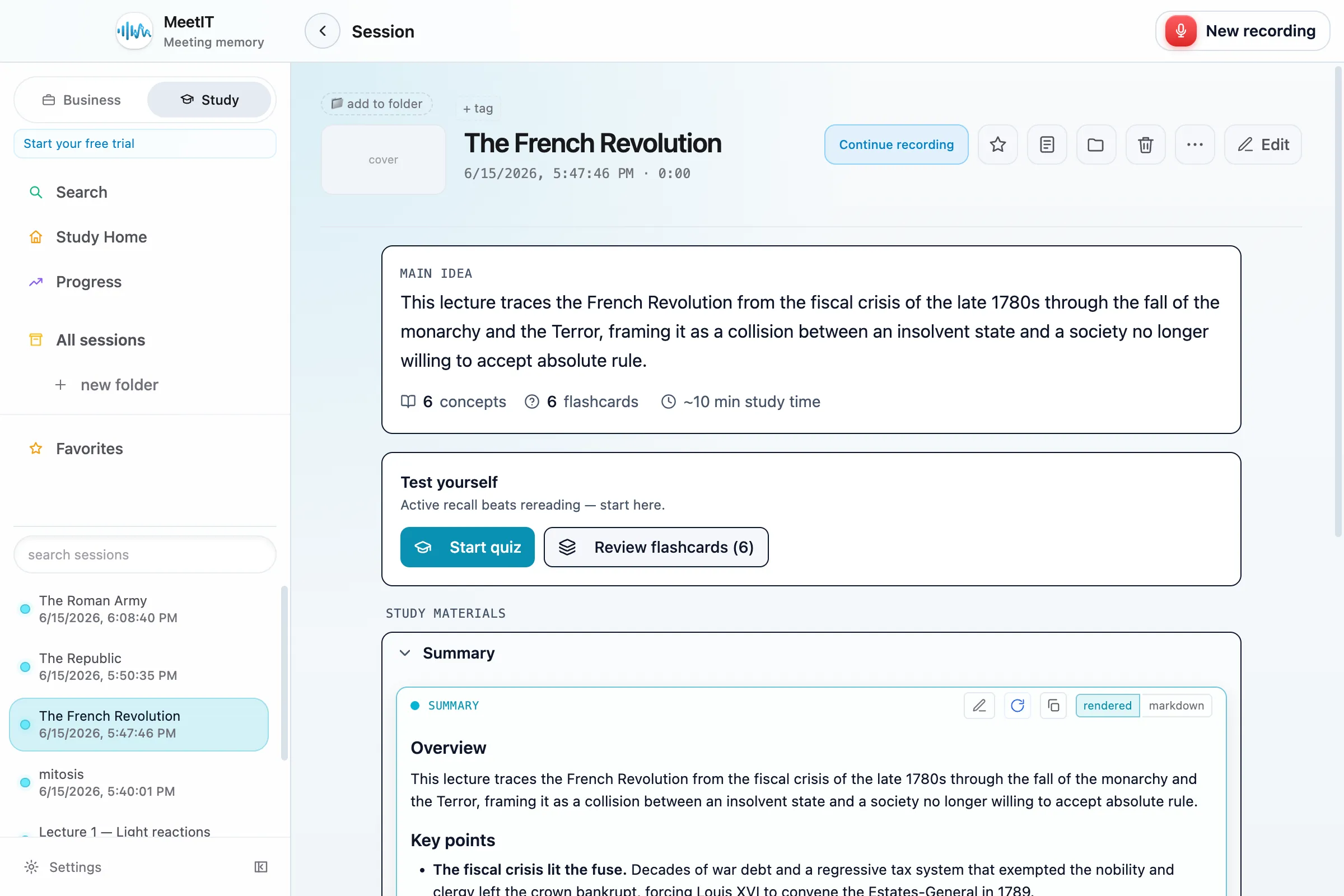
    Review what was said

    Every session gets a main idea, a structured summary, key concepts and flashcards — each linked back to the exact moment in the recording it came from.
    Review what was said
  5. 05

    Study and remember

    Turn any lecture into a study queue: real spaced repetition (FSRS), quizzes and flashcards in one place, so the material actually sticks.
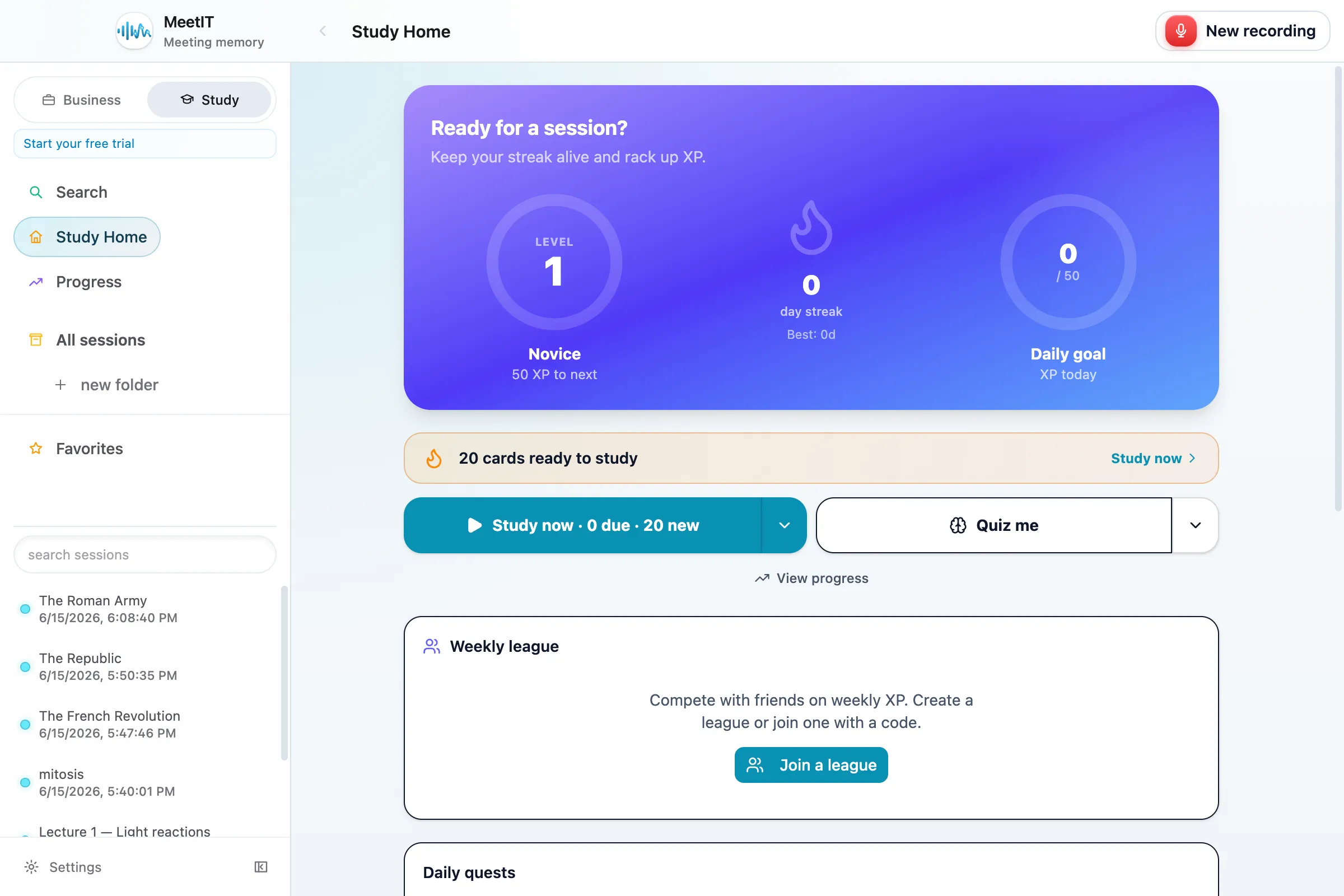
    Study and remember

Study from what was actually said.

Record the lecture, let MeetIT build the notes and cards, and let the science do the rest.